




Last updated: 23 November 2026 | Reviewed by Saaquix Editorial Team | Author Abdul Rehman
Digging through multi-page contracts, dense research reports, and lengthy study PDFs eats up hours every week. Traditional keyword searches rarely capture context, and copying text back and forth into browser tabs quickly breaks your focus.
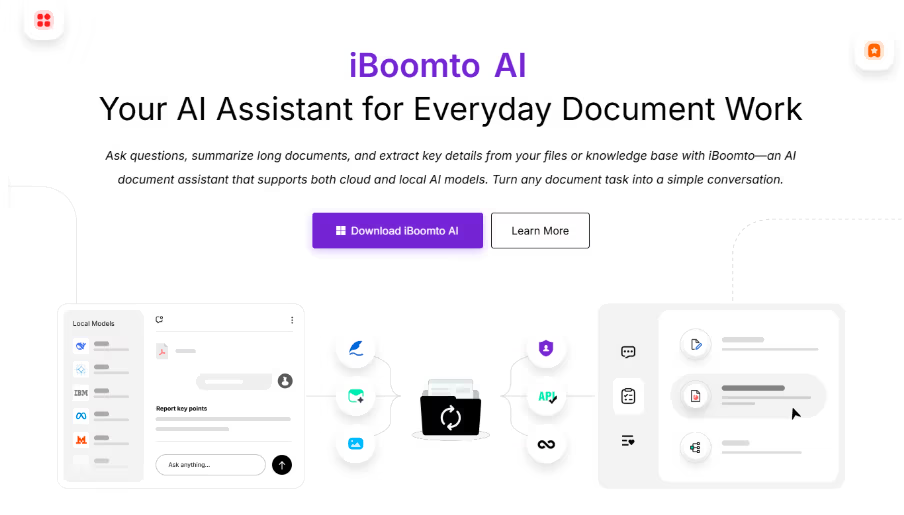
iBoomto —a Windows desktop document assistant—takes a more direct approach by turning everyday document work into a simple conversation. Whether you need quick answers from a single PDF or want to organize project files into a searchable knowledge hub, iBoomto lets you choose between cloud convenience and local AI control. Here is a full breakdown of how it works, what it offers, and who gets the most value from it.
Standout Capabilities of iBoomto AI
1. Chat PDF and Intelligent Document Analysis
Instead of scanning page after page manually, iBoomto lets you chat directly with your PDF files to locate answers, generate summaries, and pull out key facts in seconds. Backed by advanced OCR and large language models (LLMs), it handles complex layouts and dense materials with ease. Beyond quick Q&A, you can extract structured details and compare different documents or file versions side by side to streamline reviews and follow-up edits.

2. Cloud or Local AI Models: Choose What Fits Your Tasks
Not every document requires the same balance of speed, capability, and privacy—which is why iBoomto gives you both cloud and local AI models in one workspace. Local models keep sensitive data private on your device, while cloud models are effortless to start and excel at complex, multi-step tasks without taxing your PC.

Here is how the two options compare across everyday workflows:
- Accessibility and Setup: Cloud models work right away with an internet connection. Local models require an initial model download, after which they run directly on your device—even offline.
- Data Privacy: Local models process everything on your computer under your control. Cloud models send data to online servers for processing, making them better suited for non-sensitive files.
- Capabilities and Model Choice: Cloud models effortlessly handle larger models and multi-step reasoning. Local models support popular open series—including Qwen, Gemma, DeepSeek, IBM Research, Llama, and Mistral across multimodal and lighter unimodal options—but their capability depends heavily on your PC’s processor, GPU, memory, and chosen model size (1 GB to 26 GB per model).
- Speed and Cost: Local inference runs at zero ongoing token cost using your own hardware, with speed determined by your specs. Cloud speed depends on server availability and internet connection, and extended usage may require credits or a paid plan.
Keep in mind that local AI performance scales directly with your hardware—the stronger your PC, the larger the models you can install and the faster your responses will be. For local inference, iBoomto recommends at least 8 GB RAM (16 GB to 32 GB+ for larger models), an NVIDIA GeForce RTX 20 Series GPU or newer with 6 GB+ VRAM (8 GB to 12 GB+ for larger models), and 64-bit Windows 10 or Windows 11. If your PC falls below these recommended requirements, running local models is not advised; sticking with cloud models will give you a much smoother experience.
3. Personal Knowledge Base (RAG)
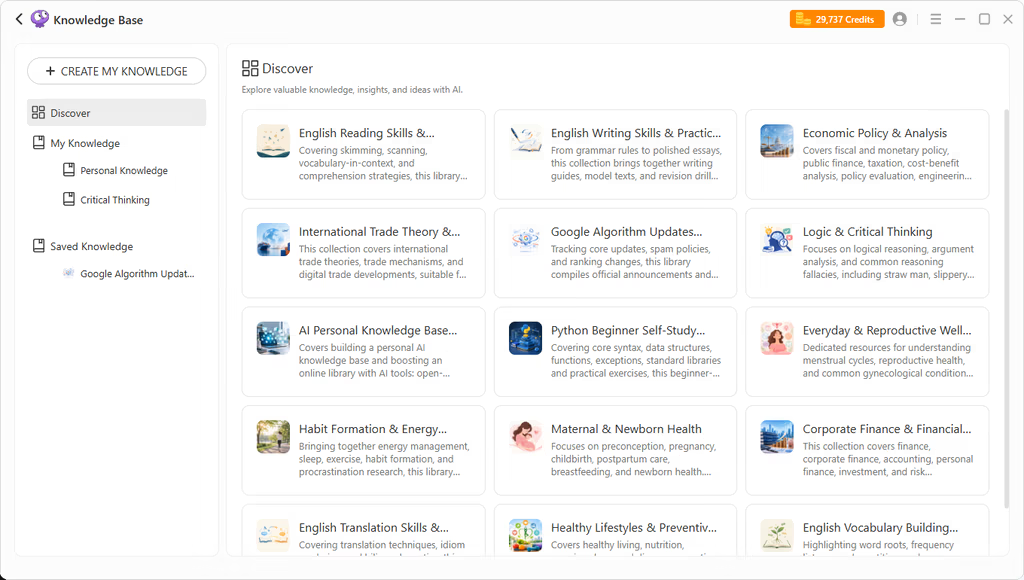
When single-file chats are not enough, iBoomto’s Retrieval-Augmented Generation (RAG) knowledge base lets you group related materials around a course, research topic, or ongoing project. You can query across your entire collection in one conversation. Pairing a local knowledge base with a local model keeps file processing, local indexing, context retrieval, and answer generation completely on your device without cloud uploads.
4. Free AI and PDF Utilities
For quick everyday tasks, iBoomto includes built-in utilities that work right out of the box without extra plugins or third-party office suites. You can summarize PDFs, chat with files, convert between PDF and Markdown, and read, edit, or draft documents inside a single desktop environment.

How to Use iBoomto AI
- Start Online or Download the Desktop Client: Try the free browser-based tools on the official iBoomto AI platform for quick tasks, or install the Windows desktop app for full local capabilities.
- Check Hardware Compatibility and Pick a Model: Select a cloud model for instant use, or run the built-in compatibility check—which evaluates your RAM, GPU, VRAM, and disk space—to download a matching local model.
- Upload Files or Build a Knowledge Base: Drop in a standalone PDF for immediate Q&A, or organize multiple reference documents into a knowledge base for ongoing project queries.
- Chat, Compare, and Draft: Ask natural-language questions, extract takeaways, compare file versions, and organize your final notes or documents directly in the app.
Pros and Cons
Pros
- Flexible Cloud and Local Switching: Easily match non-sensitive tasks to cloud models and private files to local models.
- True On-Device Option: Local models and local knowledge bases keep processing and retrieval entirely on your PC with zero ongoing compute fees.
- All-in-One Document Toolkit: Combines Chat PDF, OCR-backed extraction, Markdown/PDF conversion, and editing without extra extensions.
- Multi-Document RAG Search: Turns scattered notes and reports into a conversational personal knowledge hub.
Cons
- High Hardware Bar for Local Models: PCs below the recommended specs (8 GB+ RAM, RTX 20 Series+ GPU, 6 GB+ VRAM) are not recommended for local inference and will see sluggish speeds.
- Large Disk Space Demands: Capable local models take up 1 GB to 26 GB each, quickly consuming storage.
- Windows-Only Desktop App: The desktop client is currently limited to 64-bit Windows 10 and Windows 11.
Who Should Use iBoomto AI?
- Everyday Knowledge Workers and Students: Best served by the free tools and cloud models for fast summaries, Markdown conversions, and effortless document Q&A on any PC.
- Privacy-Focused Professionals (Legal, Finance, R&D): Ideal for running local models and local knowledge bases to analyze contracts, audits, and internal reports without cloud exposure.
- Researchers and Writers: Great for organizing dense literature and unpublished drafts into a searchable local RAG hub on capable Windows hardware.
- Low-Spec Laptop Users: Anyone on older hardware or basic integrated graphics below the recommended specs should skip local models and use cloud mode exclusively.
Verdict
iBoomto AI succeeds by putting model choice directly in your hands. Whether you want fast, zero-setup cloud assistance for daily reading or strict on-device control for sensitive files, it turns complex document workflows into a straightforward conversation.
